Self-hosted · No WordPress required

The blog that fits your site.
Not the other way around.

DonkeyCMS adds a real, full-featured blog to any website that isn't WordPress: the one you already have, or the one you're about to build. No rebuild, no theme lock-in, no plugin bloat.

Free forever for one site · no credit card, no time limit

app.donkeycms.com/admin
Welcome, Alex Rivera
AR
128
Total Posts
96
Published
22
Draft
10
Scheduled
4
Pending Review
7
Pending Comments
340
Media Items
12
Team Seats
4,382
Visits (30d)
Posts published over time

The idea

Build your website your way. We'll bring the blog.

DonkeyCMS is a self-hosted blog engine that moves into your website and dresses like it. Hand-coded line by line, put together with Tailwind or Bootstrap, started from a template, or written by an AI at 2 a.m.: if it's a website on ordinary hosting, the blog fits. Already have a site? Nothing gets rebuilt. Still planning one? Design it however you like and add the blog when you're ready. There's no theme to build around and no plugin ecosystem to hand your branding to. Your header, your footer, your markup stay exactly as they are. DonkeyCMS just adds the blog.

Why businesses choose DonkeyCMS

Six things it does that a plugin bundle on someone else’s platform doesn’t.

Frame Tools

Fits your site, existing or new

Frame Setup finds your header, nav and footer and wraps your blog in them. Frame Studio changes your menu and logo later, without touching code.

Search & AI

Ready for Google and AI search

Structured data, sitemap, RSS and clean addresses from day one. And a list of the AI tools and search engines that really read your blog: GPTBot, ClaudeBot, Googlebot and more.

Homepage

Your latest posts on your homepage

One line of code shows your newest posts anywhere on your site, in your own style. Your homepage stays fresh without editing it by hand.

Media

Upload once, reuse everywhere

One shared library behind every upload field, with automatic WebP conversion — and a delete that refuses to break a published post.

Analytics

Know what works, without cookies

Visits, top posts and referrers inside the admin you already use. No cookies, no IP addresses, no consent banner to bolt onto your site.

Import

Moving from WordPress? Bring everything

Upload your WordPress export file. Posts, pages, categories, tags and images all come across, ready to publish.

And plenty more. See every feature →

  • DonkeyBoard team plans
  • Saddlebag private notes
  • Rich text editor
  • Markdown mode
  • Custom roles
  • Review & approval
  • One-click updates
  • Full backups
  • Google Drive backups
  • Scheduled posts
  • Comments with spam protection
  • Newsletter integrations
  • Focal-point cropping tool
  • Crop in five shapes
  • One-click image optimizer
  • Blog in any language
  • Admin in 7 languages
  • RSS feed
  • XML sitemap
  • Breadcrumbs & redirects
  • JSON API
  • White-label admin
  • Dark mode

Runs on the stack ordinary hosting already has

Needs PHP 8.1 or newer and a MySQL database. Most shared hosting already has both.

Bring your own accounts

One-click integrations

Connect your own cloud backup destination or mailing list provider — no code, no middleman.

  • Cloudflare R2 Cloudflare R2
  • Backblaze B2 Backblaze B2
  • Google Drive Google Drive
  • Mailchimp Mailchimp
  • Brevo Brevo
  • MailerLite MailerLite
  • GetResponse GetResponse
  • NewsMAN NewsMAN
  • theMarketer theMarketer

This is what it looks like, live.

PageSpeed

Don’t let the name fool you. This donkey runs.

Google rewards fast, healthy sites. DonkeyCMS pages are light HTML with no plugin baggage, so your blog starts every race in front.

Scores for donkeycms.com/blog, measured with Google PageSpeed Insights, October 2026.

100
Desktop : 100 out of 100

Hee-haw. That’s donkey for 100.

91
Mobile : 91 out of 100
Compare

Same job, different animals

Four ways to run a blog, in plain facts. Each one was read on the product’s own website, and the full pages say where the others win.

DonkeyCMS compared with WordPress, Ghost, Bludit
DonkeyCMS WordPress Ghost Bludit
What it is A blog for a website built some other way A system for whole websites An “open source blog & newsletter platform” A flat-file CMS for a website or blog
Design Your site’s own header, menu and footer A WordPress theme, free or paid A Ghost theme, free or paid A Bludit theme
Hosting Shared hosting with PHP 8.1 or newer and MySQL PHP and MySQL or MariaDB Hosted by Ghost, or your own server with Node.js PHP 8.0 or newer, no database
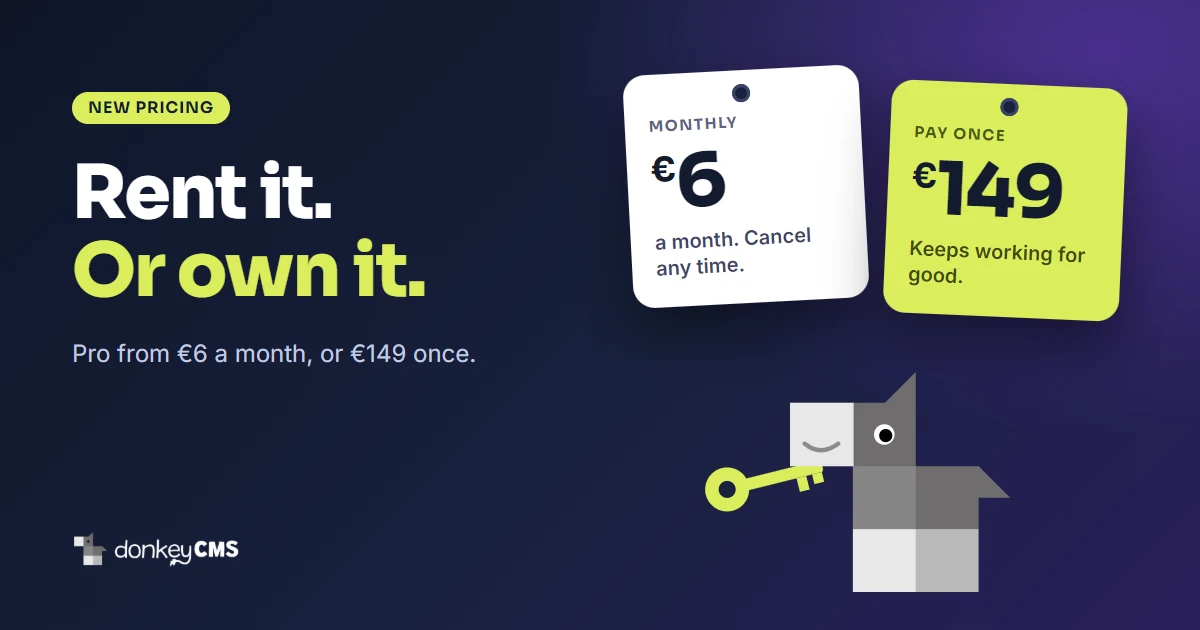
Price Free for one site, paid plans from €6 a month Free software. Many plugins and themes sell paid versions Ghost(Pro) from $15 a month billed yearly. Or host it yourself Free core. Bludit PRO for $2 a month
Backups Built in on every plan, Free included, on a schedule Not built in: your host, by hand, or a plugin Handled on Ghost(Pro); yours to arrange when self-hosting Through a plugin: the official one is paid, a free one exists
Updates One click, backed up first, undone if it fails One click; security updates install themselves Done for you on Ghost(Pro); yours to run when self-hosting By hand: back up, download, replace the files
Comments Open to visitors, spam-protected, on Pro and up Built in Native, for logged-in members Through plugins, free ones available
License Commercial, with a free plan Open source (GPL) Open source Open source (MIT)
Start free DonkeyCMS vs WordPress DonkeyCMS vs Ghost DonkeyCMS vs Bludit

Checked on . The names belong to their owners; DonkeyCMS is not affiliated with any of them. All comparisons

Questions, answered

The things people ask before they install. Yours isn’t here? Ask us, we actually reply.

The basics

It's a blog for websites that aren't WordPress. DonkeyCMS is a lightweight, self-hosted blog CMS built with PHP and MySQL. It installs into your website at yoursite.com/blog and wears your site's own header, footer and design, whether that site is custom-coded, built with Tailwind or Bootstrap, or started from a template. Your visitors won't know where your site ends and the blog begins. That's the point.

Upload DonkeyCMS into a /blog folder on your hosting and run the installer. Then point Frame Setup at your homepage: it finds your header, menu and footer and reuses them on every blog page. Your existing pages don't get touched, moved or "improved". Hand-coded sites, HTML templates, anything built with Tailwind, Bootstrap, Bulma, Foundation or UIkit, pages made in Pinegrow or Bootstrap Studio, a Webflow export moved to your own hosting, a page an AI wrote for you last week, a site your nephew built in 2019: all welcome.

Yes, and it's the easy way round. Build the site with whatever you like: plain HTML and CSS, Tailwind, Bootstrap, Bulma, Foundation or UIkit, a template, a desktop builder such as Pinegrow or Bootstrap Studio, or an AI tool. There's no theme system to learn and no template language to design around. When your homepage is ready, install DonkeyCMS, point Frame Setup at it, and the blog picks up the same header, menu and footer. What you do need is ordinary hosting with PHP and MySQL, so hosted builders like Wix or Squarespace are out.

Yes, it's a WordPress alternative, and no, you don't need WordPress. No plugins asking for updates every Tuesday, no theme to convert your site into, no page builder. Already on WordPress and want out? Pro and up import your posts, pages, categories, tags and images from WordPress's standard export file.

Setting up

PHP 8.1 or newer and a MySQL database. Most shared hosting already has both, including the usual cPanel hosts. No command line, no Node.js, no server wizardry. If your host can run WordPress, it can run DonkeyCMS, and it'll probably breathe easier.

Because blogs grow. Flat-file systems keep every post as a text file, which is lovely for ten posts and less lovely for a thousand, plus scheduled posts, comments and a team writing at the same time. A MySQL database takes all of that in its stride, and nearly every hosting plan already includes one. You never have to look at it: the installer builds everything inside it, and a full backup of your posts, images and settings is built into every plan. It's the same kind of database WordPress runs on, minus the forty plugins.

About five minutes, most of it spent finding your database password. Upload the zip, open the installer in your browser, fill in your database details and create your admin account. Your license key is already inside the download, so there's nothing to copy and paste. Later updates are one click from your admin panel.

Plans and your content

Really. No time limit and no credit card. Free covers one site with the full editor, categories and tags, light and dark mode, sitemap, structured data, Frame Setup and Frame Studio. In return we add a small "Powered by DonkeyCMS" credit to your blog's footer. Paid plans remove it.

Your blog stays online and nothing gets deleted. We don't hold your posts hostage. If a payment fails you get 14 days where everything keeps working while it's sorted out. After that the site drops to the Free plan: your posts stay published and paid features lock. Renew, and everything comes back exactly as you left it. A one-time license never stops: there's nothing left to pay. Security updates stay free for every installation, paying or not.

You do, completely. DonkeyCMS is self-hosted, so your posts, images, comments and database live on your own hosting, and we have no access to any of it. Backups are built into every plan, on demand or on a schedule. Business can also send them automatically to your own Google Drive, Cloudflare R2 or Backblaze B2 account, because hosting companies have bad days too.

Search and AI

Yes, and the important parts are on every plan, Free included. You get clean URLs, an XML sitemap, an RSS feed, meta titles and descriptions, Open Graph tags for social sharing, breadcrumbs, and structured data (JSON-LD) for articles and FAQs. Change a post's address and the old link sends readers to the new one with a 301 redirect. Pages are plain server-rendered HTML, which is fast and easy for search engines to read.

We handle the technical side; the writing is up to you. DonkeyCMS publishes pages AI tools can read easily, with structured data that says what each post is about, who wrote it, when it was last updated and what language it's in. Pro and up add AI & search visitors: a list of the AI tools and search engines that really read your blog (ChatGPT, Claude, Perplexity, Google and more), with how many pages each one read and when it last came. Nobody can promise an AI will quote you, but you will know when one has been reading.

Languages

Yes, pretty much any language: about 125 of them. Seven come ready: English, Romanian, Spanish, German, Hungarian, French and Turkish. Pick one of those and all the little words your visitors see, like "Read more" or "Share", appear in that language automatically. Pick any other language and those phrases start out in English, then you type your own versions once in Settings → Language, and you're done. You can also rewrite our wording in the ready-made languages if you think we got it wrong. We won't be offended. Much. Right-to-left languages like Arabic and Hebrew aren't supported yet.

Seven ready languages: English, Romanian, Spanish, German, Hungarian, French and Turkish. The admin language is completely separate from your blog's language, so your posts can go out in Spanish while your dashboard stays in English. Each team member picks their own language in the top bar, so nobody has to fight over it.

For agencies

Yes, that's what it was built for. Web designers and agencies build custom HTML sites, and clients ask for a blog about five minutes after launch. Each client site gets its own license, bought once. Buy 5 or more together and each costs 5% less (10% from 10), and Business licenses bought that way come white-labeled: your logo and your name in the admin. When a site is done, we move its license to your client's email address. Your client sees your brand. We were never there.