Adding a blog to a website you already have used to sound like a weekend project. We spent the last two releases making it sound like a lunch break. Two things are new: a Frame Setup that walks you through it one step at a time, and Donkle Search, a search bar for blogs that have grown past "a few posts". The donkey carried the luggage.
Frame Setup now holds your hand (in a good way)
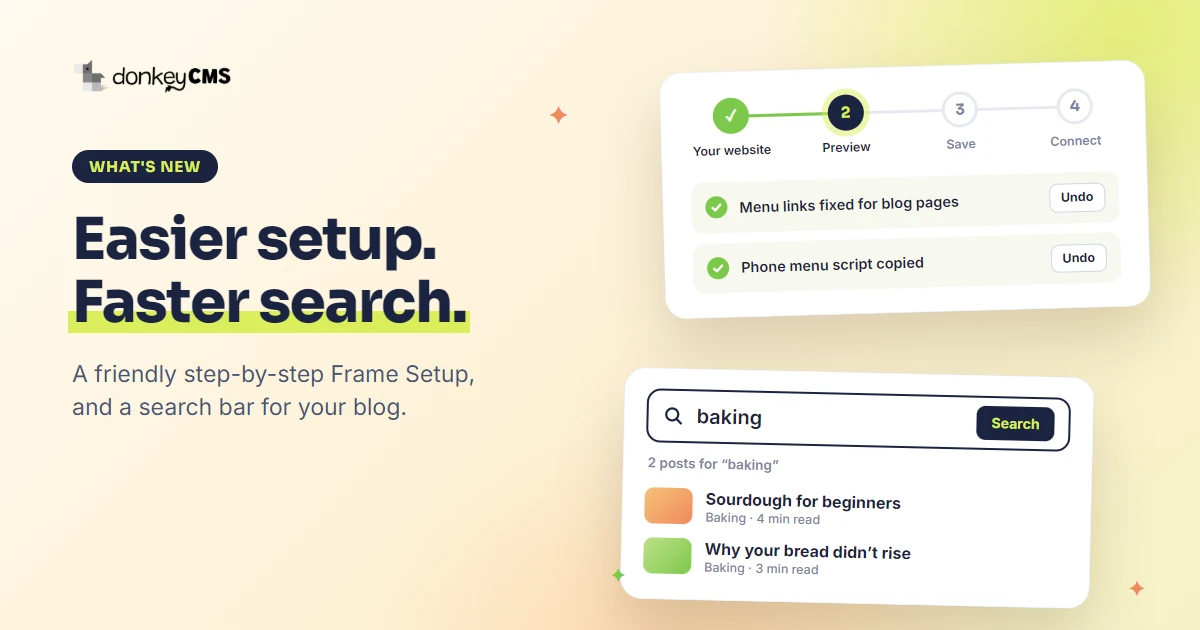
Your blog should look like part of your website: same menu on top, same footer at the bottom. Frame Setup is the tool that copies them over, so visitors never feel they left your site. It used to be one long screen. Now it is four short steps:
Your website. Paste your homepage address, or upload one of your pages if the site is not online yet. Nothing on your website changes.
Preview. See your blog wearing your own menu and footer, on desktop and on a phone.
Save. One click, and the blog uses them.
Connect your pages. Link your other pages to the same menu and footer.
Think of a GPS that says "turn left", not one that hands you a map of the whole continent.
The boring fixes are done for you
Here is where most people used to get stuck. A menu that works on your homepage often breaks on a blog page: a link to shop.html leads nowhere, a #about link points at the wrong page, the phone menu button does nothing.
Frame Setup now fixes those while you look at the preview, and lists every fix it made. Each one has an Undo button, and a Redo if you change your mind. If your menu is see-through or stays at the top while you scroll, it asks one plain question and the preview changes as you answer. It also adds the Blog link to your menu for you.
Your other pages, without the headache
Step 4 includes the Page converter, which is on every plan. Upload about.html and you get back about.php, with the old menu and footer swapped for the shared ones. It only converts a page when it finds the menu and footer exactly once. If it is not sure, it says so and leaves the page alone. We would rather be boring than clever with your pages.
On Pro and up, Frame Tools Plus adds Previous versions (restore any of your last ten saves), Check my website for changes, and a Blog link that shows as the current page. Read the full walkthrough in the Frame Setup guide, or try it on one of our template guides.
Donkle Search: because nobody scrolls to post number 47
A blog with eight posts does not need search. A blog with eighty does. Donkle Search puts a plain search bar between your blog heading and the post cards, on the blog home, category and tag pages. A visitor types a word and lands on a results page of matching posts.
It looks for every word they typed in a post's title, excerpt and text, and shows title matches first. Only published posts appear, so your drafts stay your little secret. There is no donkey on the visitor's side: the bar uses your blog's own colors and language, because the blog is yours.
A search bar also helps the people you already have. Someone who read one post about sourdough can find the other five without leaving your blog, which is a good habit for a blog to encourage.
You switch it on or off in Settings, Features. A new install starts with it on. An existing blog keeps it off until you switch it on, so an update never changes a live blog by surprise. Donkle Search is part of the Pro plan and up.
How to get it
Open License & Updates in your admin panel and click update. Frame Setup is on every plan, Free included, so you can start free. Not sure which plan fits? Read which DonkeyCMS plan is right for you. New to the idea of a blog without WordPress? Here is how it works.