Until today, a DonkeyCMS post was signed with a login name. Something like "admin2". Readers deserved better, and frankly, so did your writers.
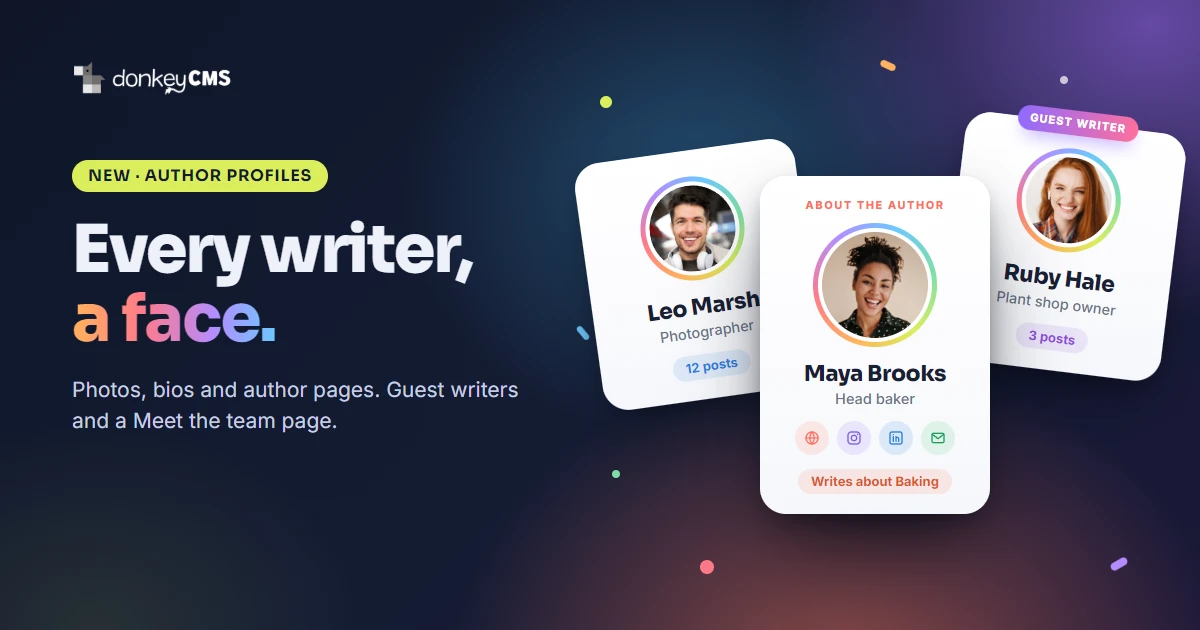
DonkeyCMS 1.16 gives every writer a face. A real photo, a short bio, their own author page, and a few extras that make a small business blog feel like it is written by actual humans. Because it is. (Mostly. We do not ask the donkey to write anymore. He kept signing posts with hoof prints.)
Here is everything that is new.
Author profiles: a name, a photo and a short bio
Every person on your team now has a profile on My Account: a display name, a round photo and a short bio of up to 260 characters. Drop a picture on the circle or click it, and DonkeyCMS crops and shrinks it for you right in the browser. No photo editor, no "why is my face 4 MB" moment.
The display name is what readers see on posts, blog cards, the feed and everywhere else. Your login name stays private, which is how it should have been from day one.
Every writer gets an author page
Each writer now has an author page at an address like yourblog.com/blog/author/maya-brooks. It shows their photo, bio and every post they wrote, and the byline on each post links straight to it.
Author pages are good for readers ("who is this person, and what else did they write?") and good for search engines, which like to know that a real, knowable person stands behind an article. DonkeyCMS adds the full author details for Google and AI assistants automatically. You just write.
Shy writer? There is a Public author page switch on My Account. Turn it off and the name still shows on posts, just without a link, and the author page goes quiet.
An About the author box under every post
On Pro and up, writers can add a job title and links to their website and social profiles. An About the author box then appears at the end of every post, with the photo, job title, bio and link icons. Readers who enjoyed a post can follow the person behind it. You can switch the box off in Settings, Features.
The author page also lists what each writer writes about: their categories, worked out from their posts. A baker who mostly writes about sourdough gets a "Baking" pill without lifting a finger. Search engines get the same topics, quietly, in the page's data.
A contact button that keeps spam robots out
Writers on Pro and up can add a public contact email. It shows up as a small envelope button after their social icons. Here is the nice part: the address is never written into the page in one piece. A tiny script assembles it in the reader's browser, so most spam robots that harvest addresses walk right past it. Real readers just click and write.
Your login email is never used for this. It stays private.
Guest authors, without handing out passwords
Got a guest post from a supplier, an interview with an expert, or an article from a freelancer? On Pro and up you can now credit a guest author: a person from outside your team, with their own photo, bio, links and author page, labeled "Guest writer".
No account, no password, no seat on your plan. Add them under Users, Guest authors, then pick them in the post editor under Shown as author. The post stays yours to edit, and the guest gets the credit. Editors can manage guest authors too, thanks to a new permission called Manage Guest Authors, so your team does not need to bother the boss every time a guest article lands.
A Meet the team page
On Business, switch on Meet the team in Settings and your blog gets a page at /blog/team that introduces everyone who writes for you. Photos, job titles, short bios, post counts, links, and guest writers in their own section underneath. Give it your own title and subtitle, and drag people into the order you like.
Author pages and the About the author box link to it, so readers find it on their own. It is the closest thing a small business blog has to a staff photo, minus the awkward group pose.
Two small things you might notice
Blog cards now show the reading time on the top line, after the category, so the author and Read more sit together at the bottom.
On small phones, posts no longer scroll sideways because of the spam check box under the comment form. It now switches to its compact size when space is tight.
How to update
Open License & Updates in your admin panel and click update. It takes a few seconds and makes a backup first. Then open My Account, add a photo and a bio, and say hello to your readers.
Running a team? The team and roles guide shows how to invite people and choose what they can do. Not sure which plan has what? See the pricing page or read which DonkeyCMS plan is right for you.