
For the last two weeks we kept asking ourselves the same question about one feature after another: "Should this really cost money?"
The answer kept being no. So the Free plan grew, and then it grew again, and at some point it stopped looking like a trial and started looking like a blog.
Here is everything a free DonkeyCMS blog can do today that it could not do two weeks ago.
Categories and tags
A blog without categories is a drawer with everything in it. From version 1.06, every plan can sort its posts: one category per post for the main subject, and as many tags as you like for the details.

Each category and tag gets its own page on your blog, so a reader who liked one sourdough post can find the other six. Search engines like those pages too.
Frame Studio
Frame Setup has always been free: it reads your website's menu and footer and puts them on every blog page, so the blog looks like it was always part of your site.
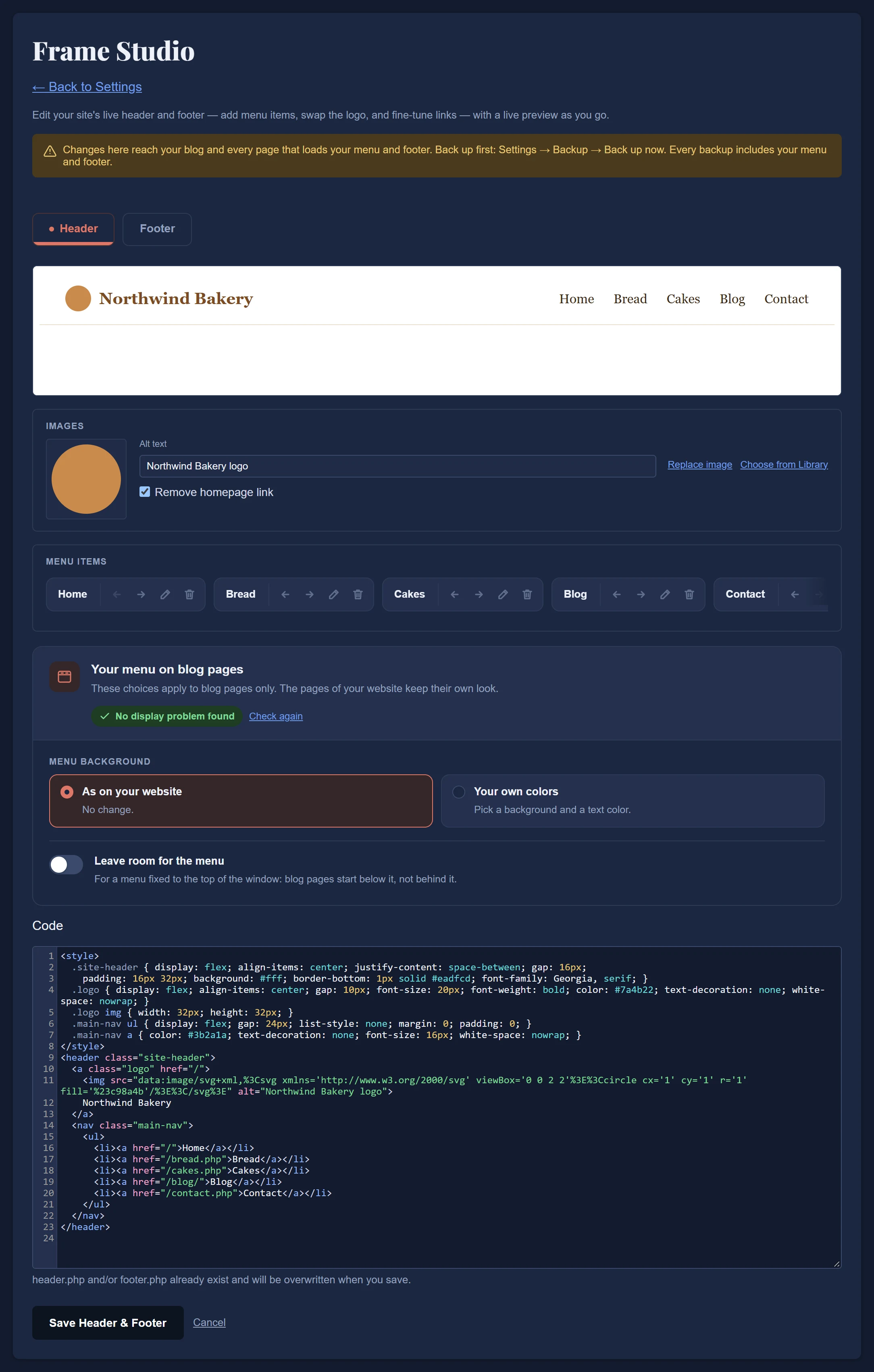
Frame Studio is what you use afterwards. Add a menu item, rename one, swap the logo, fix a link, all without opening a code file. It used to be a paid feature. It is not anymore.
## A menu that behaves on blog pages
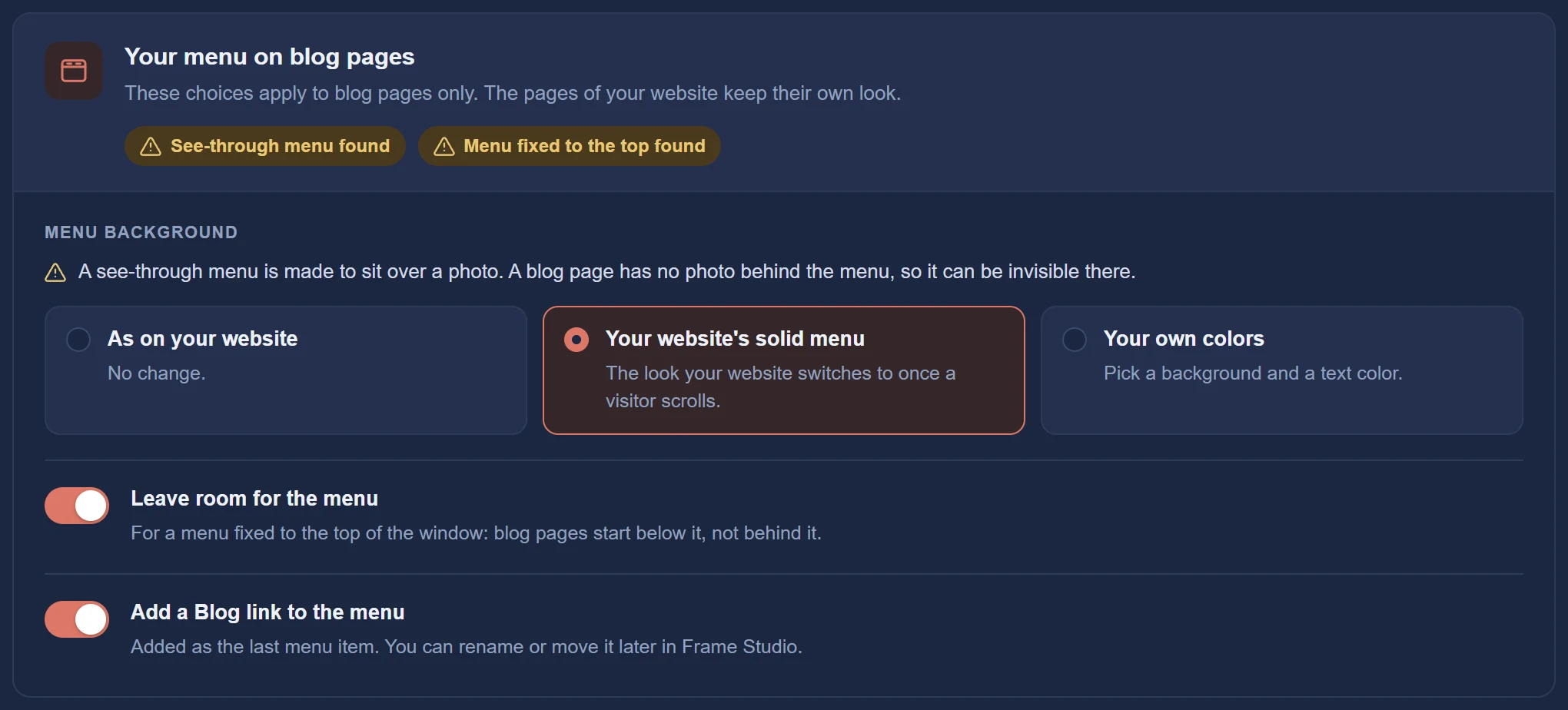
This one came from a real install. Many homepages have a see-through menu floating over a large photo. It looks great there. On a blog page there is no photo, so the menu turns invisible and sits on top of your first paragraph.
DonkeyCMS now notices this by itself and offers the fix: use your website's own solid menu style or pick two colors, and it leaves exactly enough room underneath. Only the blog pages change. It can also add a Blog link to your menu, so people can actually find the thing you just installed.
## The Image Optimizer
One switch, on every plan. Uploaded pictures become WebP, large photos are scaled down, and your pages load faster. New installs start with it switched on, so most people will never think about it, which is the best thing you can say about an image optimizer.
So what does Free include now?
One website, with no time limit and no credit card:
The full editor, with drafts and FAQs
Categories and tags
Frame Setup, Frame Studio and the menu fixes
The Image Optimizer
Light and dark mode
The search groundwork: structured data, sitemap, RSS feed, social share tags
Full backups and one-click updates
A blog in almost any language
In return, a small "Powered by DonkeyCMS" line sits in your blog's footer. That is the whole deal.
It works on any website that is not WordPress, whether you built it by hand, with Tailwind or Bootstrap, from a template, or with an AI tool at two in the morning. It also works on a website you have not built yet: design it any way you like and add the blog when you are ready.
What changed for everyone
A few things arrived on every plan while we were at it:
One box for choosing an image. Drag a picture in or click the box. Once chosen, you see its thumbnail, name and size.
Better pictures when you share a post. Facebook, LinkedIn and WhatsApp now get a picture in the shape they show, made from your original upload, so shared posts look sharp and show their picture the first time.
The installer asks for your language, so the admin and the blog start in it from the first sign-in.
And on the paid plans
AI & search visitors (Pro and up). A list of the AI tools and search engines that really read your blog, such as ChatGPT, Claude, Perplexity and Google, with how many pages each one read and when it last came by. No guessing, no "visibility score". Just who showed up.
Uploads in the Media Library (Pro and up). Pick several images at once or drag them onto the page.
Image Optimizer Plus (Pro and up). You choose the quality, and two small tiles show the file size to expect as you slide.
Focal-point crop tool (Pro and up). It now opens for every featured image you choose: drag and zoom to decide what social sites show, then press Crop or keep the original.
How to get it
If you already run DonkeyCMS, open License & Updates in your admin panel and click update. Everything above arrives with version 1.06.
If you do not, the Free plan takes about five minutes to install, most of it spent finding your database password. You can compare all plans on the pricing page, and the docs walk you through the rest.